My weblog work journal. »Archives »Links
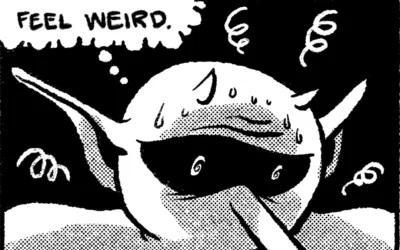
After suffering through 60 plus pages in Photoshop on a beige Mac G3, I had had enough. I was creating Golden Boy in a twelve step process:
At about that time, I finally decided to get a new Mac capable of handling OS X. I purchased a 1 Ghz G4 tower. A month later I purchased a copy of the Adobe Creative Suite with the sole intention of exploring the use of Adobe Illustrator as my primary comic creation program.
One of the primary functions I serve my employer is how to streamline processes. I can strategically look at it from all angles and find where to cut steps and improve the end result at the same time. I almost can’t help but do it, to constantly re-evalute a step-by-step scenario. This is true also in my personal work. I wanted to cut the worry and stress out of this 12 step process and achieve better results in a 5 step process. Adobe Illustrator helped me get there.
First, I downloaded and experimented with a trial of Illustrator CS and my Wacom tablet. If I could keep all my art in Illustrator as a vector file, I knew I would have the freedom to export the art in any DPI I wanted: any size printed material would no longer keep me up at night. Also, a vector file would be smaller than a bitmap, raster file from Photoshop, so I knew I would be saving on memory too. And the multiple undos would be a plus also.
After some quick tests, I was sold. I drew the last 30 pages of Golden Boy in Illustrator. I’ve refined my techniques with Quick Step. The following slideshow represents my new 5 step process.
First, I start with the pencils in a normal sketchbook. I’ll then take the pencils and scan them in at 150 dpi to import as a template layer in Illustrator.

After firing up Illustrator, I start with a template page from ComiXPress. Then I import the pencils in as a template layer, which is locked and dimmed by 50% transparency. I open a new layer named “Inks” and start drawing with the Brush tool. I use three brush sizes: 1pt for background and fine detail, 3pt for figures and foreground objects, and 7pt for filling in blacks and greys quickly. I try to stick by one rule with technology: keep it simple. Three brushes is enough.

Third, I lay down the greytone(s) in a separate layer under the inks. In this case, I wanted to challenge myself to only use one tonal range – 30% Grey, and to see if I could use different textures to keep it from being monotonous.

Next, the panels are drawn. I just use the square Shape tool and use the pencils as a guide. I give each shape a 1pt black stroke and a transparent fill. I then duplicate the layer. On the duplicate layer, I draw a giant white square covering the black stroke panels. This white square is the same size as the page. I then “Select All” and use the “Exclude” function in the Pathfinder palette. This makes a mask over the art! I then move the first Panel layer over top so the panel strokes are well defined.

Finally, I letter the page. Illustrator has long been used in the comics industry for lettering, and Comic Book Lettering: The Comicraft Way is a great book to refer back to for this. This is where I most often see great art fail miserably; you can be the second coming of John Byrne, but if your lettering doesn’t look professional, your art will suffer for it.
I use Digital Strip from Blambot Fonts for my dialogue lettering. Why? From Blambot.com: Blambot’s FREE FONTS are designed with the beginning comic creator in mind. These fonts are just what you need to adequately letter your projects…and they’re free for independent comic creators!

Hopefully this can help some other poor comic creating bastard out there! Let me know if I can clarify in any way on these steps. Comments are open for discussion!
Background Info: Christian and I used to rotate art duties on a strip for our high school paper with another artist. The strip was called The Three Students.
Pulling the file in and back out of Illustrator/Freehand no longer caused a guaranteed crash, but it was slow as hell. It would take 15 minutes to add it into Photoshop, and another 15 to save. That was 30 minutes of hoping nothing would go wrong for each page. It usually looked fine, but I came to find out that many of those pages had a corrupt colorsync file associated with them which would mis-color the whole page.
I had to completely re-draw about 20 pages of Golden Boy due to corrupt files or from crashing (which would give you that whole end-of-file thing). It was a frustrating time. And yes, I was driven to drink.
Yeah, but then it was a Slurpee or a Big Gulp.
You can also browse through the Parlor archives.
Stay up to date with my Feed in your favorite newsreader!
Check out who is linking to me with my Technorati Profile.
Nov 20, 11:47 PM
Man, I do NOT miss that 12 step process. Do you remember when we did The Three Students at North? I guess we inked everything by hand back then, but still, it was at least 7 steps. Importing the Photoshop file into Illustrator to do the lettering then pulling the lettering back into Photoshop…Guaranteed crash every time. I used the same technique for a couple of projects in college as well, and it never got that much better, even with MUCH better technology. I’m glad you’ve found a way to streamline it. It was bad enough doing it once a month for a single page, an entire book could drive you to drink.